YouTube is more competitive than ever. If you want to grow faster, save time, and improve quality, AI tools can seriously help. From script writing to video editing and thumbnail creation, artificial intelligence makes content creation easier even if you are a beginner.
In this guide, you’ll discover the best AI tools for YouTube creators in 2026, what they do, and how you can use them to grow your channel faster.
ChatGPT – Best for Script Writing and Ideas
If you struggle with video ideas or scripting, ChatGPT can save hours of work. You can ask it to generate:
- YouTube video scripts
- Video hooks
- SEO titles and descriptions
- Hashtags and tags
- Community post ideas
For example, you can type:
“Write a 5-minute YouTube script about earning money online for beginners.”
It gives you a structured script with intro, main points, and conclusion.
Best for: Educational channels, tech creators, faceless channels
Why it’s powerful: Fast idea generation and structured scripts
Canva AI – Best for Thumbnails and Graphics
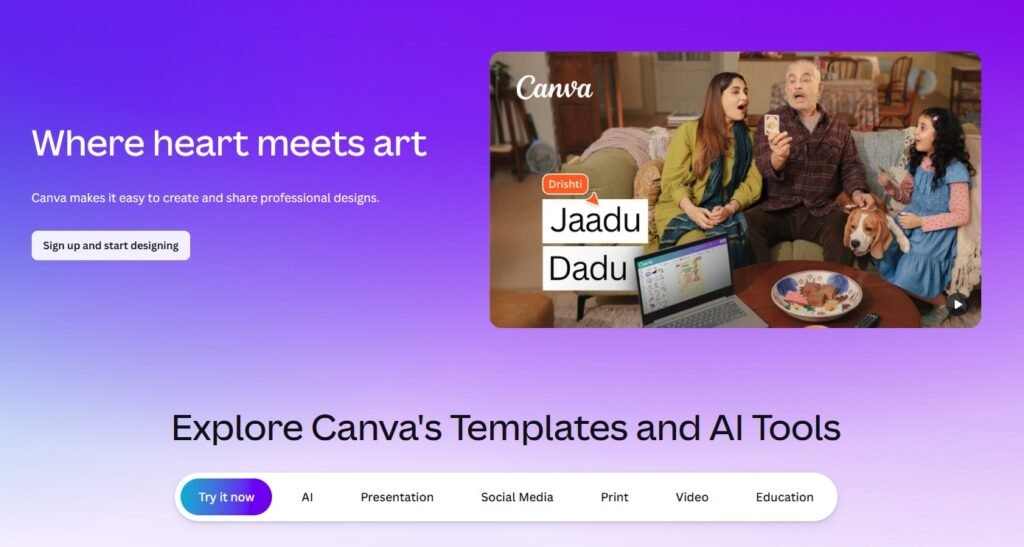
Thumbnails decide whether someone clicks your video or not. Canva’s AI features help you create professional thumbnails without graphic design skills.
You can:
- Remove backgrounds instantly
- Generate thumbnail ideas
- Use AI image tools
- Resize designs automatically
Even beginners can create eye-catching thumbnails in minutes.
Best for: New YouTubers, vloggers, educational creators
Why it’s useful: Easy drag-and-drop editor with AI features
Pictory – Best for Faceless YouTube Videos
Pictory converts scripts into videos automatically. You paste your script, and it creates a full video with stock footage, text, and background music.
This is perfect for:
- Motivation channels
- Facts channels
- News explainers
- Educational content
It also auto-generates subtitles, which increases watch time.
Best for: Faceless automation channels
Why it stands out: Script-to-video automation
Descript – Best for AI Video Editing
Descript changes the way you edit videos. Instead of traditional timeline editing, you edit text like a document.
Features include:
- Remove filler words automatically
- Edit video by editing transcript
- AI voice cloning
- Podcast editing tools
If you create talking head videos, this tool saves huge editing time.
Best for: Podcasters, educational YouTubers
Why it’s efficient: Text-based editing system
TubeBuddy – Best for YouTube SEO
Creating good content is not enough. You need SEO optimization.
TubeBuddy helps you:
- Find low-competition keywords
- Optimize titles and descriptions
- Analyze competitors
- Improve tags
This increases your chances of ranking on YouTube search.
Best for: Growth-focused creators
Why it matters: SEO is key for long-term growth
ElevenLabs – Best for AI Voiceovers
If you don’t want to use your own voice, ElevenLabs provides realistic AI voiceovers.
You can:
- Convert text to natural voice
- Choose different accents
- Create narration for faceless videos
Great for automation channels and explainer videos.
Best for: Faceless creators
Why it’s popular: Realistic human-like voice
How to Choose the Right AI Tool
Not every AI tool is needed for every creator. The right tools depend on your experience level and the type of YouTube content you make. If you are just starting out, keep things simple. Use ChatGPT to write your video scripts, Canva to design eye-catching thumbnails, and TubeBuddy to help with basic SEO and keyword research. This setup is enough to launch your channel without feeling overwhelmed.
If you run a faceless YouTube channel, where you don’t show your face, focus on tools that help with visuals and voice. ChatGPT can help you with scripts and ideas, Pictory can turn text into video clips, and ElevenLabs can generate realistic voiceovers. This combination saves time and helps you produce videos faster.
If you create talking videos, where you appear on camera, your needs are a bit different. ChatGPT can still help with scripts and video structure, Descript is useful for editing your videos and audio easily, and Canva can help you design thumbnails and simple graphics.
The key is to start small and not use too many tools at once. As your channel grows and your needs become clear, you can slowly add more tools to improve quality and speed.
If you have text written in Kruti Dev, DevLys, or other legacy Hindi fonts, you can easily convert it into Unicode Hindi using our Hindi Font Converter tool. This tool helps transform old Hindi fonts into Unicode so the text displays correctly on websites, blogs, and digital platforms. Simply paste your text into the converter and get the converted Unicode text instantly. Use the tool here: https://devlystounicode.in/
Final Thoughts
AI tools are not here to replace creators. They are here to make your work easier and faster.
The smartest YouTube creators in 2026 are using AI to:
- Save time
- Improve quality
- Publish more consistently
- Rank better on search