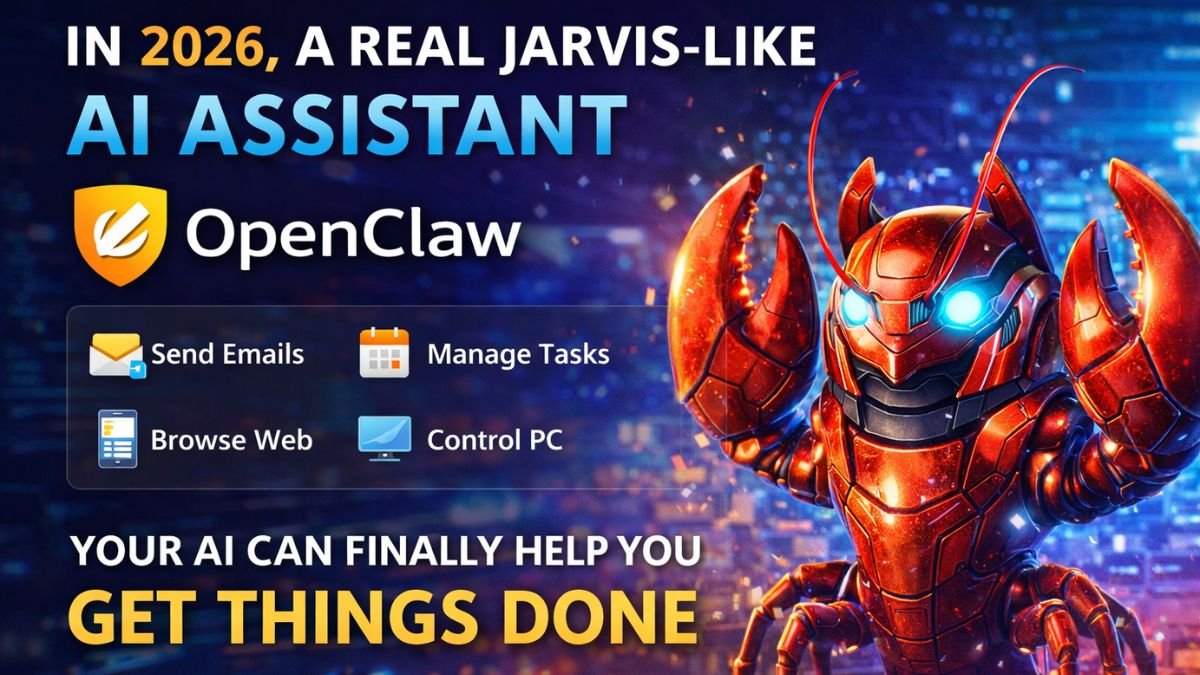
In 2026, the dream of having a personal AI assistant like Iron Man’s JARVIS is no longer science fiction. OpenClaw (previously known as Clawdbot and Moltbot) has emerged as one of the most powerful open-source AI agents that doesn’t just chat — it actually gets things done.
Whether you want to clear your inbox, manage your calendar, check in for flights, browse the web, control your computer, or run 24/7 autonomous tasks, OpenClaw turns your WhatsApp, Telegram, or any chat app into a command center for your personal AI lobster.
In this complete SEO-optimized guide, you’ll learn:
- What OpenClaw is and why everyone is calling it “real JARVIS”
- Key features and real-world use cases
- Step-by-step installation and setup (2026 updated)
- How to connect it to messaging apps
- Security tips, best practices, and advanced tips
- Alternatives and who should use it
What is OpenClaw AI Assistant?
OpenClaw is a self-hosted, open-source personal AI agent that runs on your own device (Mac, Windows, or Linux). It connects powerful LLMs like Claude (Anthropic), GPT (OpenAI), or local models and gives the AI real tools to act on your behalf.
Unlike traditional chatbots (ChatGPT, Gemini, Claude), OpenClaw is agentic — it has persistent memory, can use tools, access files, browse the internet, send emails, and execute tasks proactively.
It works through the messaging apps you already use:
- Telegram
- Discord
- Slack
- Signal
- iMessage
- And many more
Official Website: https://openclaw.ai/
It exploded in popularity in late 2025–early 2026, gaining massive attention for making JARVIS-like experiences accessible to everyone without coding expertise.
Why OpenClaw is the Best JARVIS Alternative in 2026
- Privacy-First: Your data stays on your machine (bring your own API key)
- Proactive & Autonomous: It can remind you, do background tasks, and work while you sleep
- Multi-Channel: Talk to your AI from any chat app
- Highly Extensible: Add skills, create multi-agent teams, or build custom workflows
- Cost-Effective: Free & open-source (only pay for LLM API usage)
- Runs Anywhere: Local PC, Mac Mini, VPS, or dedicated server
Users are already running multiple specialized agents — one for email, one for research, one for calendar, etc. — all orchestrated under one main “Jarvis”.
Key Features of OpenClaw
- Real Task Execution: Clear inbox, send emails, manage calendar, flight check-in, file management, web browsing
- Persistent Memory: Remembers your preferences, past conversations, and personal details
- Browser & Computer Control: Automate web tasks, fill forms, or control apps (in sandboxed or full access mode)
- Voice & Visual Support: Speak and listen on supported platforms
- Multi-Agent System: Run a team of AI employees with different roles
- 24/7 Operation: Set it up as a daemon or on a dedicated machine
- Huge Community: Active GitHub, Discord, and tons of user-created skills
Real-World Use Cases of OpenClaw JARVIS
- Daily Productivity — Get morning briefings, traffic-based reminders, and calendar management.
- Email Automation — Sort, reply, and archive emails autonomously.
- Travel Management — Check flight status and complete check-ins.
- Research & Content Creation — Browse web, summarize articles, draft posts or reports.
- Smart Home & Personal Tasks — Control devices or handle routine workflows.
- Business Automation — Update spreadsheets, reply to customer messages, or manage leads.
- Multi-Agent Teams — Have specialized agents (CEO agent, research agent, finance agent) working together.
Many users report saving hours every week by offloading repetitive tasks to their OpenClaw assistant.
How to Install and Set Up OpenClaw in 2026 (Step-by-Step Guide)
Prerequisites:
- Basic terminal knowledge
- API key from Anthropic (Claude) or OpenAI
- Mac, Windows, or Linux machine
Easiest Installation Method (One-Command Setup)
- Open your Terminal (Mac/Linux) or PowerShell as Administrator (Windows).
- Run the official installer:
curl -fsSL https://openclaw.ai/install.sh | bash(For Windows: Use the PowerShell equivalent from the official site)
- After installation, run the onboarding wizard:
openclaw onboard --install-daemon- Paste your Anthropic or OpenAI API key when prompted.
- Connect your preferred messaging channel (WhatsApp, Telegram, etc.) following the in-wizard instructions or docs.
- Start the gateway:
openclaw gateway runAlternative methods:
- npm install:
npm install -g openclaw@latest - Docker setup for isolated environments
- GitHub clone for full customization
Setup Time: Usually 10–15 minutes for beginners.
After setup, name your assistant “Jarvis” and start chatting from WhatsApp or Telegram!
For detailed troubleshooting, refer to the official documentation at docs.openclaw.ai.
Security Tips When Running OpenClaw JARVIS
Since OpenClaw has computer access, security is crucial:
- Run it on a dedicated machine or VM (not your main daily driver)
- Use sandbox mode for sensitive tasks
- Avoid giving full access to banking or highly sensitive accounts initially
- Keep your system updated and use firewall rules
- Review community warnings about third-party skills (some may have vulnerabilities)
- Consider running behind Tailscale or VPN for remote access
Many experts recommend starting with limited permissions and gradually expanding.
Advanced Tips: Taking Your OpenClaw to the Next Level
- Create multi-agent hierarchies (CEO → Manager → Worker agents)
- Add custom skills and tools
- Integrate with local models (Ollama, LM Studio) to reduce API costs
- Run 24/7 on a cheap Mac Mini or cloud VPS
- Use it for SEO, content creation, or business automation
Who Should Use OpenClaw?
Best For:
- Tech enthusiasts and developers
- Busy professionals wanting to reclaim time
- Privacy-conscious users
- People who want full control over their AI
Not Ideal For:
- Complete beginners scared of terminal
- Users needing zero-setup cloud solution (consider hosted alternatives)
Conclusion: Is OpenClaw the Future of Personal AI?
OpenClaw has brought us closer than ever to a true JARVIS experience in 2026. It’s powerful, private, extensible, and genuinely useful for real tasks — not just conversation.
If you’re ready to upgrade from simple chatbots to an AI that works for you, start today.
Ready to build your own JARVIS?
Visit → https://openclaw.ai/
Run the installer and join the community on Discord.